A smart thermostat is one of the few home upgrades that pays you back every month. It learns when you are home, adjusts the temperature while you sleep or work, and lets you change settings from your phone from anywhere. If you are wondering whether one is worth buying, which features matter, and how to install it without calling an electrician, this guide covers everything you need to know before you choose.
What Is a Smart Thermostat?
A thermostat is the control that tells your furnace, boiler, heat pump or air conditioner when to run. A basic model turns the system on and off at one set temperature. A programmable model follows a schedule that you enter by hand. A smart model goes further: it connects to your home Wi-Fi, so you can control it from an app, and it uses sensors, your schedule and sometimes your phone’s location to decide when to heat or cool.
Most smart models also track how long your system runs, send maintenance reminders, warn you about extreme indoor temperatures and work with voice assistants such as Amazon Alexa, Google Assistant and Apple Home.
How Does a Smart Thermostat Save Money?
Heating and cooling are usually the largest share of a home’s energy bill, so small, consistent setbacks add up. A connected thermostat saves energy in several ways:
- Automatic schedules. It lowers the heat or raises the cooling setpoint while you are away or asleep, then brings the house back to comfort before you return.
- Geofencing. It uses your phone’s location to detect when everyone has left and switches to an energy-saving mode.
- Occupancy sensors. Built-in or remote sensors notice when rooms are empty.
- Learning. Some models learn your habits over the first week or two and build a schedule for you.
- Energy reports. Monthly reports show how many hours your system ran and how your settings affected usage.
- Utility programs. Many utilities pay rebates or bill credits when you enroll in demand-response programs that make small adjustments during peak hours.
According to ENERGY STAR, the average consumer using a certified model saves more than 8% of their heating and cooling energy, roughly $50 a year. Savings are larger in homes with long empty periods during the day and in regions with high heating or cooling demand.
Smart vs Programmable vs Manual Thermostats
| Feature | Manual | Programmable | Smart |
|---|---|---|---|
| Typical price | $20 to $50 | $30 to $100 | $80 to $280 |
| Schedules | No | Yes, entered by hand | Yes, can be automatic |
| Remote control from a phone | No | No | Yes |
| Learns your habits | No | No | Some models |
| Energy reports | No | No | Yes |
| Voice assistant support | No | No | Usually |
| Maintenance alerts | No | Rarely | Yes |
Programmable thermostats can save energy too, but surveys have long found that many owners never set the schedule or override it constantly. A connected model removes most of that effort, which is why the real-world savings tend to be higher.
Key Features to Compare
Compatibility With Your HVAC System
Compatibility is the first and most important check. Most smart models work with common 24-volt systems: gas or oil furnaces, central air conditioners, heat pumps and many boilers. They usually do not work directly with high-voltage electric baseboard heaters (120 or 240 volts) unless you buy a model designed for them.
Every major brand has an online compatibility checker. You answer a few questions or enter the labels on your current wires, and it tells you which models will work.
The C-Wire
A C-wire (common wire) supplies continuous power to the thermostat. Wi-Fi screens and sensors need steady power, so many smart models require one. If your system does not have a C-wire, you have three options:
- Choose a model that includes a power adapter kit or works without a C-wire.
- Use an unused wire in the existing bundle as a C-wire, if one is available at both ends.
- Have an HVAC technician run a new wire or install an adapter.
Sensors and Room Comfort
Homes with hot or cold rooms benefit from models that support remote room sensors. You place a sensor in a bedroom or office, and the thermostat averages temperatures or focuses on the occupied rooms. This is often the biggest comfort improvement for two-story homes.
Learning vs Scheduling
Learning models build a schedule automatically, which suits people who do not want to program anything. Others prefer a clear weekly schedule that they set once. Both approaches save energy; choose the one that matches how you like to manage your home.
Smart Home Ecosystem
Check which platforms each model supports. If your home already runs on Alexa, Google Home, Apple Home or SmartThings, pick a thermostat that works natively with it. Newer devices that support the Matter standard work across several ecosystems.
Display and Controls
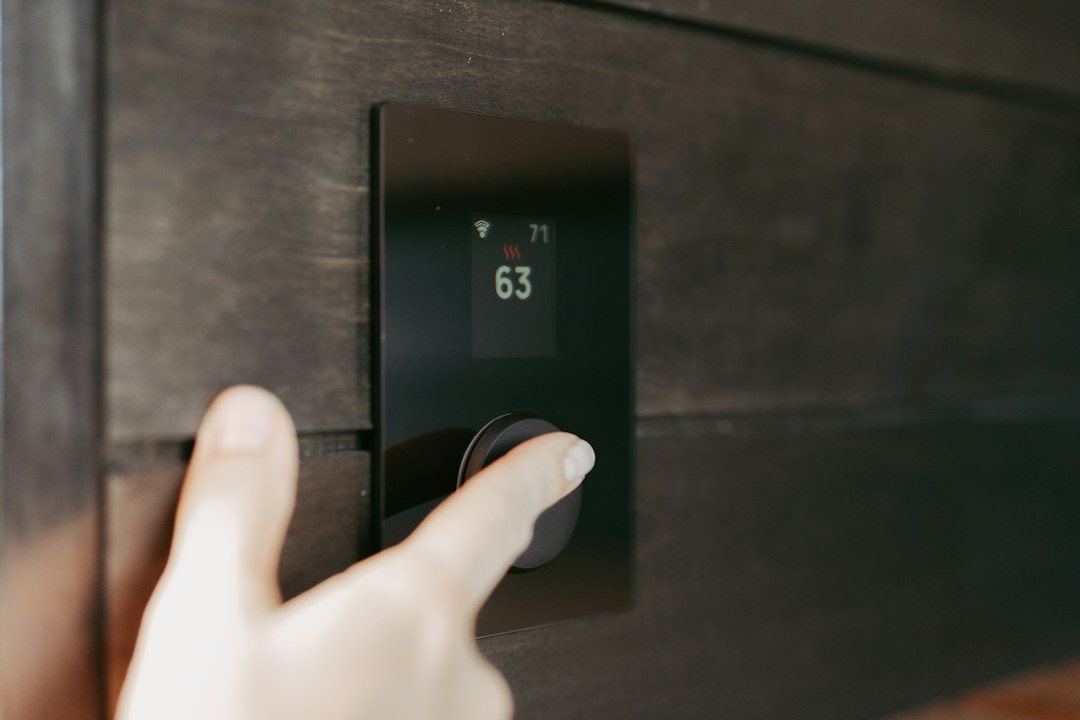
Some models have large color touch screens; others use a simple dial. If older family members or guests will use the thermostat, a clear display and physical controls matter as much as app features.
Subscriptions
Most features are free, but some brands charge for extras such as advanced energy reports, extended data history or professional monitoring. Read the fine print before you buy.
Types of Smart Thermostats
| Type | Best for | What to know |
|---|---|---|
| Learning thermostat | Busy households that want hands-off savings | Builds a schedule from your adjustments |
| Sensor-based thermostat | Homes with uneven room temperatures | Remote sensors improve comfort in key rooms |
| Budget Wi-Fi thermostat | Renters and simple systems | Fewer features, lower price, still offers app control |
| Line-voltage smart thermostat | Electric baseboard heating | Designed for 120 or 240-volt heaters, often one per room |
| Smart thermostat with air quality sensors | Allergy-prone households | Some models track humidity or air quality |
How to Choose the Right Smart Thermostat
Work through these questions before you buy:
- What system do you have? Note whether it is a furnace, boiler, heat pump, central AC or electric baseboard heat.
- Do you have a C-wire? Remove the faceplate of your current thermostat and look at the terminal labeled C.
- Do you have problem rooms? If so, choose a model with remote sensors.
- Which smart home platform do you use? Match it, or choose a Matter-compatible device.
- What is your budget? Include any sensors, trim plates or adapters you need.
- Are rebates available? Check your utility’s website for instant rebates or mail-in offers.
- Do you rent? Ask your landlord, and keep the old thermostat so you can reinstall it when you move.
How to Install a Smart Thermostat
Many homeowners install a smart thermostat in under an hour with a screwdriver and a phone. If you are unsure about wiring or your system is unusual, hire a licensed HVAC technician.
Before You Start
- Confirm compatibility using the manufacturer’s online checker.
- Download the brand’s app and create an account.
- Gather a screwdriver, a pencil, painter’s tape and, if needed, a drill for new wall anchors.
Step-by-Step Installation
- Turn off power to the heating and cooling system at the breaker or the furnace switch. This protects you and the equipment.
- Remove the old faceplate and take a clear photo of the wiring and terminal labels.
- Label each wire with the tape provided, using the terminal letter (R, W, Y, G, C and so on).
- Disconnect the wires and remove the old base plate. Wrap the wires around a pencil so they do not fall into the wall.
- Mount the new base plate, using the level or trim plate if included.
- Connect the wires to the matching terminals as shown in the app’s wiring guide.
- Attach the display, restore power and follow the setup steps on the screen and in the app.
- Test heating, cooling and the fan to make sure each runs correctly.
If your system will not turn on after installation, recheck the wire labels against your photo. The most common mistakes are swapped R and C wires and loose connections.
Getting the Most From Your Smart Thermostat
Installing the device is only half the job. These settings drive most of the savings:
- Set reasonable setbacks. The U.S. Department of Energy suggests turning your thermostat back 7 to 10 degrees for eight hours a day to save energy. Start with smaller setbacks if comfort is a concern.
- Turn on geofencing for every adult in the household, so the system knows when the home is truly empty.
- Use eco or away modes during vacations.
- Enable maintenance reminders for filter changes. A clogged filter forces your system to work harder; our air conditioning maintenance checklist explains what else to check each season.
- Review monthly reports and adjust schedules that run the system longer than needed.
- Enroll in utility programs if they fit your lifestyle; you can usually opt out of any single event.
Smart Thermostats for Heat Pumps
Heat pumps need careful control because they often have backup electric resistance heat, called auxiliary or emergency heat, which is much more expensive to run. A good thermostat for a heat pump:
- Supports the O/B reversing valve wire used by most heat pumps.
- Lets you set a balance point or lockout temperature, so backup heat only runs when it is truly needed.
- Uses gradual recovery instead of large, fast temperature jumps that can trigger backup heat.
Ductless systems are different. Many mini splits use their own wireless controllers instead of wall thermostats, so you may need a brand-specific Wi-Fi adapter or a universal infrared controller.
Common Smart Thermostat Problems and Fixes
| Problem | Likely cause | Fix |
|---|---|---|
| Screen goes blank or battery drains | No C-wire or weak power | Add a C-wire or a power adapter kit |
| Thermostat goes offline | Weak Wi-Fi signal or router change | Move the router, add a mesh node or reconnect in the app |
| System short-cycles | Incorrect wiring or system settings | Check wiring and set the correct equipment type |
| Room feels too hot or cold | Thermostat in a sunny or drafty spot | Add a remote sensor or relocate the thermostat |
| Schedule changes on its own | Learning or geofencing features | Review or turn off auto-schedule features |
| Backup heat runs too often | Heat pump settings | Adjust auxiliary heat lockout and recovery settings |
Pros and Cons of a Smart Thermostat
Pros
- Lower heating and cooling bills for most households.
- Control from anywhere through a phone app.
- Better comfort with sensors and automatic schedules.
- Useful alerts for filter changes, system issues and extreme temperatures.
- Possible utility rebates and bill credits.
Cons
- Higher upfront cost than a basic model.
- May need a C-wire or adapter.
- Depends on Wi-Fi for remote features.
- Some features require an account or subscription.
- Privacy concerns about location and usage data; review the brand’s data settings.
Smart Thermostat FAQ
Is a smart thermostat worth it?
For most homes with central heating or cooling, yes. Savings of around 8% on heating and cooling energy usually cover the cost in a few years, especially when you add utility rebates.
Do smart thermostats work without Wi-Fi?
Yes. They continue to follow the last schedule and you can adjust them at the device. You lose remote control, geofencing and updates until the connection returns.
Can I install a smart thermostat myself?
If you have a standard low-voltage system and are comfortable turning off power and matching labeled wires, you can usually install one yourself. Hire a technician for unusual systems, high-voltage heat or missing C-wires.
What temperature should I set a smart thermostat to?
Many households choose around 68°F when awake in winter and 78°F when home in summer, with larger setbacks when sleeping or away. Adjust to what is comfortable and safe for your family.
Do smart thermostats work with older homes?
Often, yes. Older systems may lack a C-wire or use only two wires, so check compatibility and consider a model with a power adapter.
The Bottom Line
The best smart thermostat for your home is the one that is compatible with your system, fits your smart home setup and has the features you will actually use. Check compatibility and C-wire needs first, add sensors if some rooms are uncomfortable, look for utility rebates, and set sensible schedules. Done right, the upgrade delivers more comfort and steady savings for years.
Explore more home comfort and maintenance guides in the Evora Home Decor section.

Evora Lifestyle Desk
The Evora Lifestyle Desk covers fashion, beauty, food and home decor, with practical ideas, how-to guides and trend roundups for everyday living.